
Introduction
If you’ve ever bounced off a sci‑fi multiplayer game because the onboarding was confusing, the sessions felt disjointed, or your squad couldn’t stay “in sync” across devices and time zones, you’re not alone. Nexus Aliensync is built around a simple promise: interstellar-scale gameplay that still feels coordinated, readable, and rewarding—whether you play solo for 20 minutes or run long co-op operations.
This guide breaks down what Nexus AlienSync is, how it works, what to focus on in your first hours, and how to avoid the most common early mistakes—so you can spend more time exploring and less time troubleshooting.
What is Nexus AlienSync (and what makes it different)?
Nexus Aliensync is a sci‑fi experience designed around synchronization: synchronized progression, synchronized co‑op roles, synchronized events, and synchronized decision-making under pressure.
Where many space titles treat co‑op as “optional multiplayer,” Nexus Aliensync treats co‑op coordination as a core mechanic. The result is a loop that feels more like a living mission control than a loose lobby shooter.
What players typically mean when they praise Nexus AlienSync:
- Missions are built around complementary roles instead of identical loadouts.
- Events react to your team’s choices, not just your damage output.
- Progression is structured so casual players don’t feel left behind.
- Systems are layered, but the game encourages learning in “chunks,” not all at once.
How does Nexus AlienSync work (the core loop)?
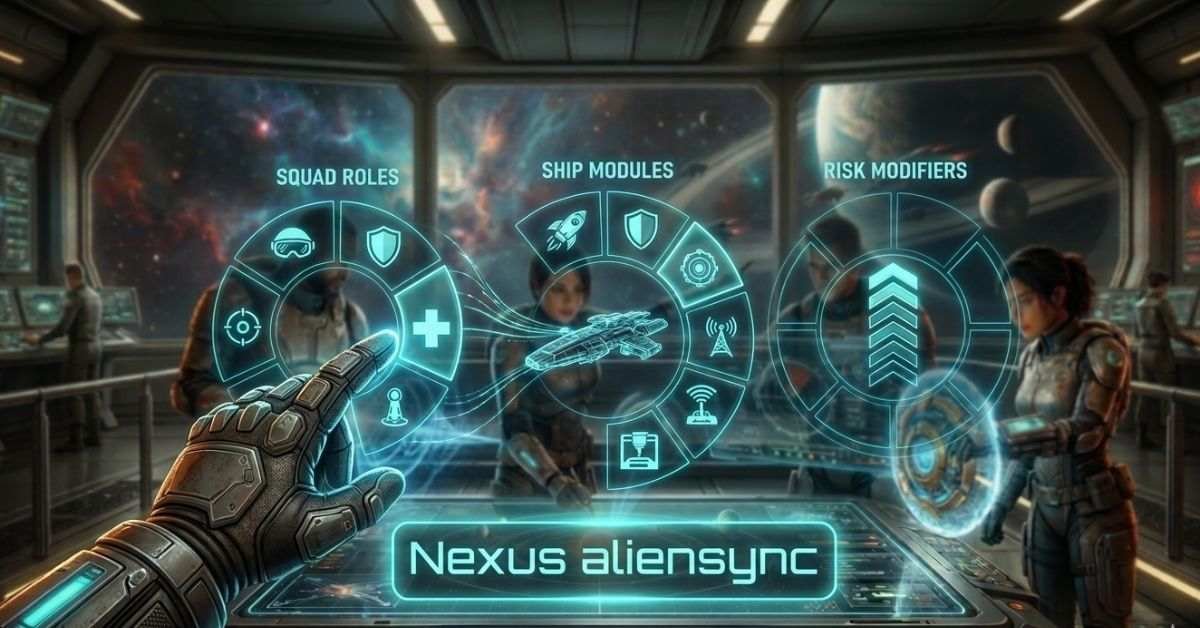
The gameplay loop in Nexus Aliensync is easiest to understand as four repeating phases. If you keep these in mind, the systems feel far less overwhelming.
Prepare (roles, ship modules, mission modifiers)
You pick a mission type, then confirm:
- Squad roles (who handles scanning, defense, support, and extraction)
- Ship modules (mobility, shields, comms, fabrication)
- Risk modifiers (better rewards, tougher conditions)
Deploy (exploration + information advantage)
Most mission success comes from reading the situation early:
- scanning sectors
- identifying alien behaviors
- prioritizing objectives over fights
Engage (adaptive encounters)
Encounters are designed to “shift” mid-mission:
- Threat waves change if you trigger alarms.
- Objectives can fork into multiple outcomes.
- Resources force tradeoffs (ammo vs. tools vs. med support).
Sync (progression + debrief decisions)
After extraction, you convert what you learned into upgrades:
- unlock modules
- tune builds for your role
- Plan your next mission with better intel.
What features should you care about most in Nexus AlienSync?
On the first day, not every feature is important. These are the pillars that shape the experience in Nexus Aliensync—and the ones most worth learning early.
| Feature | What it does | Why it matters in real play |
| Role-based co‑op design | Encourages specialization without hard-locking you | Squads coordinate faster and wipe less |
| Dynamic mission states | Outcomes shift based on alarms, scanning, and timing | Better replayability and “earned” wins |
| Modular ship + loadouts | Build for mobility, sustain, or objective speed | Lets casual squads avoid brute-force walls |
| Sync-friendly progression | Rewards team play but doesn’t punish solo time | Easier to keep friends at similar power levels |
| Accessibility & readability options | UI scaling, color adjustments, input remap | Reduces fatigue in longer sessions |
A subtle advantage of Nexus AlienSync is how it uses information as a resource. If your team scans well and communicates, you often win with less gear than you’d expect.
Who is Nexus Aliensync best for?
Nexus Aliensync tends to click most with players who like:
- Co‑op problem solving (not just co‑op shooting)
- Builds and experimentation
- High-stakes extractions where preparation matters
- A “living universe” vibe with evolving threats
It may feel slower if you prefer constant action with minimal coordination. The pacing rewards squads that plan and adapt.
To ground the game in real-world behavior: the Entertainment Software Association has reported that a majority of players value games as a social activity (ESA “Essential Facts” reports in recent years consistently highlight social/connection as a major reason people play). Nexus Aliensync leans into that by making coordination inherently valuable, not optional.
How do you get started in nexus aliensync (without wasting your first 5 hours)?
Use this first-session checklist. It’s designed to prevent the two most common early frustrations: unclear roles and messy progression.
Step 1: Pick one “main role” for 3 missions
In Nexus Aliensync, early mastery beats early variety. Choose one:
- Scanner/Recon (information + route planning)
- Support/Medic (team uptime + recovery)
- Defense/Control (stabilize fights, protect objectives)
- Objective Runner (speed, interaction, extraction timing)
Step 2: Set one performance baseline
Before chasing graphics, stabilize feel:
- Cap FPS to a consistent value
- Disable “extra” visual noise if it hurts readability.
- Set your FOV for comfort.
(For responsiveness, UX research from Nielsen Norman Group notes that sub‑100 ms response feels “instant,” while delays become noticeable as they rise—smooth consistency often feels better than occasional spikes.)
Step 3: Develop the “two-callout” habit
A simple comms pattern improves survival:
- Callout A: What (threat/objective)
- Callout B: Where/When (location + timing)
Example: “Signal spike—north corridor—10 seconds.”
Step 4: Upgrade one system at a time
Don’t update everything at once. In Nexus Aliensync, focused upgrades make your role reliable faster.
What settings improve clarity and teamwork in Nexus AlienSync?
These are high-impact tweaks that many players skip.
Visibility & UI
- Increase objective contrast / icon size
- Reduce screen shake if it hides threat cues
- Tune color settings for hazard types
Audio
- Raise cue channels for alarms and proximity signals
- Lower “ambient” if it masks directional audio
Controls
- Put “ping” and “scan” on easy keys/buttons
- Add a dedicated “push-to-talk” or quick-wheel message
In Nexus Aliensync, the fastest squads aren’t the ones with perfect aim—they’re the ones who never lose track of what matters next.
Practical examples: how Nexus AlienSync plays when it’s working
Here are three real-play scenarios that show what success looks like in Nexus AlienSync.
Example 1: The “silent win” extraction
A squad completes objectives with minimal fighting by:
- Recon scanning patrol patterns
- Support pacing heals/resources
- Defense holding chokepoints only when necessary
- The runner times the extraction to ensure the team avoids a late escalation wave.
This style is common in Nexus AlienSync because information and timing can be stronger than raw damage.
Example 2: The mid-mission pivot
A team triggers an alarm accidentally. Instead of wiping, they:
- stop chasing kills
- re-route to secondary objectives
- Use modules that trade speed for survivability.
- extract early with “good enough” rewards
The game rewards smart retreats. Treat extraction as a strategy, not surrender.
Example 3: The “carry without carrying”
An experienced player joins newer friends and plays recon to reduce squad confusion.
- plays recon to reduce squad confusion
- The experienced player takes upgrades that enhance team clarity, such as increasing scan uptime and ping power, while allowing newer players to manage simpler objectives.
- lets newer players handle simpler objectives
That’s a strong social design advantage of Nexus AlienSync: skill can express itself through leadership and information, not just DPS.
Common mistakes in Nexus AlienSync (and how to fix them)
Mistake 1: Everyone builds for damage
Fix: Ensure at least one teammate invests in scanning/support. In Nexus Aliensync, damage is replaceable—clarity isn’t.
Mistake 2: Upgrading “a little bit of everything”
Fix: Pick one role system and push it to a clear breakpoint (cooldown reduction, durability threshold, scan radius, etc.).
Mistake 3: Treating alarms like a “normal fight”
Fix: The correct response often involves repositioning and focusing on objectives, rather than defending yourself.
Mistake 4: Saving tools “for later”
Fix: Use tools to preserve tempo. Tempo is a hidden currency in Nexus AlienSync.
Mistake 5: No extraction plan
Fix: Agree on a fallback extraction route before the first major objective.
Pro tips for getting better faster in nexus aliensync
- Ping before you shoot when entering a new room. The team reacts sooner.
- Build around one weakness. If you die to swarms, don’t add damage—add control.
- Set time limits for your missions. Make an early decision to “extract now” or “one more objective.”
- Use losses as data. In Nexus Aliensync, wipes often teach routing more than combat.
Privacy, account safety, and trust: what to watch for
Any modern connected game raises basic safety questions. For Nexus AlienSync, treat these as standard best practices:
- Use unique passwords and enable 2FA (two-factor authentication) if available.
- Avoid third-party “free currency” offers and account sharing.
- Review what profile info is public (clan tags, voice settings, matchmaking).
Why trust this guide? The recommendations above align with widely accepted consumer security guidance (for example, NIST password guidance and mainstream account security practices), and the performance/UX recommendations align with established latency/response-time research used across software and games.
FAQ
What is Nexus AlienSync in simple terms?
Nexus Aliensync is a sci‑fi co‑op experience focused on synchronized roles, adaptive missions, and progression that rewards coordination more than raw damage.
Is Nexus AlienSync better solo or with friends?
You can play solo, but Nexus Aliensync shines with 2–4 players because roles and information-sharing become much more impactful.
How long does it take to learn Nexus AlienSync?
Most players feel comfortable after 5–10 missions if they stick to one role and upgrade path. Nexus Aliensync becomes deeper—not harder—once the core loop clicks.
What role should beginners pick in Nexus Aliensync?
Recon/scanner is the fastest way to learn maps and threat patterns, while support, which helps teammates by providing healing or resources, is the most forgiving. Both are great starters in Nexus AlienSync.
Why do we keep wiping near extraction in Nexus AlienSync?
Typically it’s alarm escalation plus poor routing. Plan an exit route early, and don’t overstay. In Nexus Aliensync, extraction timing is part of the skill.
How do I improve team communication fast?
Use “what + where/when” callouts and ping frequently. Nexus Aliensync rewards clarity more than constant talking.
What upgrades matter most early?
Cooldown reduction, scan uptime, survivability breakpoints, and objective-speed tools are usually higher value than pure damage in Nexus Aliensync.
Conclusion
If you want a sci‑fi game that treats teamwork as a real system—where scanning, timing, routing, and extraction decisions matter—Nexus Aliensync is a strong fit. Start with one role, upgrade with intent, and treat every mission like a feedback loop. The game’s biggest rewards come when your squad learns to stay calm, share information, and sync decisions under pressure.
Visit the rest of the site for more interesting and useful articles.